Welcome Email Examples — what the best brands actually send
Real welcomes from real brands. Subject lines, hooks, frameworks — on the record.
A welcome email does six jobs at once: set expectations, prove value fast, kick off the sequence, ask for whitelisting, drive a single first action, and hand off to the rest of the lifecycle program. Almost no brand nails all six. The collection below shows what brands actually do — pulled live from the BadRep vault. Every email here was captured within hours of sending, classified across 20+ dimensions (hook type, copy framework, ESP, funnel stage, awareness level), and indexed by niche.
What brands actually do.
Most-used hook types
- 01Direct Offer67%
- 02Bold Claim10%
- 03Story7%
- 04Curiosity6%
- 05Question4%
Most-used copy frameworks
- 01FAB33%
- 02Feature-led24%
- 03Story-led14%
- 04AIDA13%
- 05Other13%
6 rules for welcome emails that convert.
What actually works — pulled from analyzing real send data, not from generic copywriting blog posts.
Send it within 5 minutes of signup
Welcome emails sent within five minutes of signup get 3–5× higher engagement than batched sends. The signup moment is the only moment the subscriber is thinking about you. Set up your welcome as an event-triggered automation, not a daily batch — the latency between signup and inbox is the single biggest variable in welcome performance.
Tell them exactly what to expect
Most welcome emails skip this. The strongest ones name the cadence ('you'll hear from us every Tuesday'), the content type ('one practical lesson, no fluff'), and the unsubscribe option in the first 100 words. This sets the contract — subscribers who stay after the welcome are pre-qualified.
Drive one specific action, not a tour
Every welcome email we've analyzed has exactly one job: the next click. Single CTA above the fold, repeated at the bottom. 'See the dashboard,' 'pick your first lesson,' 'browse the catalog' — pick one. Multi-CTA welcomes underperform by 20–40% on click-through. The temptation to give a tour is what kills them.
Address the why-now, not the why-us
The subscriber already chose you — they signed up. The welcome shouldn't re-sell. It should help them get their first 'aha' moment. Lead with the result they came for, not your founding story. Save the brand narrative for email three or four.
Ask for whitelisting and reply
Gmail and Apple Mail use first-week engagement signals to decide whether to keep you in Inbox or sort you to Promotions. A single ask in the welcome ('reply with the one thing you're trying to solve' or 'add us to your contacts') drives both whitelisting and inbox placement signals for the rest of the program.
Match the welcome to the signup source
Subscribers who came from a content download need a different welcome than subscribers who signed up for a free trial. The strongest programs route signup source into segment, then send the matching welcome. Single 'one-size-fits-all' welcomes leave 30%+ of activation on the table.
How to write a welcome email — step by step.
- Step 01
Start from the activation event you want
Before you write a word, identify the single action that signals a subscriber is activated. Logged into the dashboard? Browsed three products? Opened the second email? The welcome's only job is to get them to that action. Working backwards from this makes everything else easier.
- Step 02
Open with the result, not the brand
Your first line should reference the result the subscriber came for. 'Welcome to fewer late nights' beats 'Welcome to {Brand}.' Lead with the change in their life, not the change in their inbox.
- Step 03
Make the CTA the second thing on the page
Headline. Subhead with the result. CTA button. That's the top of the email. Below it goes everything else — context, social proof, what to expect — but the CTA appears before any of it.
- Step 04
Set expectations explicitly
One paragraph naming the cadence ('weekly,' 'when something major changes'), the content ('one tactic per email, ~5 min reading'), and a clear unsubscribe link. This builds trust and improves long-term retention by self-selecting against people who'd churn anyway.
- Step 05
Ask for a single signal back
End with one request: reply with the thing you're trying to solve, add us to your contacts, or pick a category you want to hear about. This single ask drives whitelisting, segmentation data, and the first interaction signal — all in one line.
- Step 06
Send through your marketing ESP with branded sender
Send from a real-name address (e.g., 'Maria from BadRep'), through your marketing ESP, with full marketing infrastructure. This is the technical foundation. Without it, even the best-written welcome underperforms.
What a welcome sequence actually looks like.
- 01
Single-send welcome (day 0)
The simplest and often the best. One email, sent within minutes of signup. Best for brands with a single activation action (browse, log in, pick a plan) and a hand-off to a longer nurture sequence afterward. Used by ~40% of brands we track.
- 02
Two-step welcome (day 0 + day 2)
Welcome email at signup, then a follow-up 48 hours later with the second key action ('finish your profile' / 'pick your first lesson'). Best for products where activation requires two distinct actions. Used by ~30% of brands.
- 03
Three-step welcome (day 0 + day 2 + day 5)
Welcome, follow-up, and a social-proof or testimonial send that builds belief. Best for subscription-style products with a longer time-to-value. Used by ~20% of brands, mostly in wellness and edtech.
- 04
Five-plus-step welcome sequences
Rare and usually overengineered. These typically dilute the welcome into a generic nurture. If you find yourself building a five-step welcome, it's worth questioning whether it should just be your nurture sequence with a clearer onboarding handoff.
When to send a welcome email
Two timing questions matter: how fast after signup, and what day of the week to schedule it for.
The fast answer to the first question: within 5 minutes of signup, every time. Welcome emails are event-triggered automations, not batch campaigns. A subscriber who just signed up is at peak intent — every minute between signup and inbox is engagement that decays. The strongest welcome programs we track fire within 30 seconds. The mediocre ones wait 5–10 minutes. The bad ones batch overnight and lose 30–50% of activation potential.
The slower answer is for scheduled welcome sends (re-engagement waves, list activation, post-import welcomes). Pulled from the 426 welcome emails in the BadRep vault: Friday is the most common send day at 18% of welcomes, followed by Thursday and Tuesday tied at 17%. Saturday is the lowest at 8%. Sundays sit at 12%. This roughly matches the broader email-marketing 'best day' folklore — but with a noticeable Friday tilt that reads as 'wrap up before the weekend' batch sends.
Hour-of-day data tells a sharper story. Across the catalog, the single biggest hour is 2 PM UTC (around 9 AM US Eastern, 10 AM Central European) — accounting for 12% of all welcome sends. A strong band runs from 10 AM to 4 PM UTC carrying roughly 60% of the volume. Almost nothing fires between midnight and 6 AM UTC (under 2% per hour). This isn't because subscribers don't sign up overnight; it's because most brands batch welcomes against business-hours opens, even when triggered welcomes would convert better.
- Triggered welcomes (best): fire within 5 minutes of signup, every time.
- Scheduled welcomes (compromise): Tue / Thu / Fri at 9–10 AM Eastern, 2 PM UTC.
- Avoid Saturday sends — under 8% of catalog volume, lowest engagement weekday.
- Skip overnight batch sends (midnight–6 AM UTC) — less than 2% of pros do it.
How long should a welcome email be?
Word count data from 426 real welcome emails. Most brands write longer than they should.
The data: across the BadRep vault, welcome emails average 337 words. The median is 273 words. The middle 50% (25th–75th percentile) lands between 152 and 425 words. Anything above 600 words is statistically an outlier — and most of those are multi-step welcome sequences compressed into a single email by accident.
The 150–425 word range maps cleanly onto a structural pattern: a 60–80 word opening that names the result the subscriber came for, a 40–60 word middle that points to one specific next action, an optional 40–60 word social-proof paragraph, and a CTA. Total: 140–200 words for a tight welcome, 350–425 for a richer one with social proof.
The most common mistake on length is the inverse — welcomes that feel obligated to explain everything. Brand history, founder story, mission statement, full product tour, FAQ. These run 700+ words, push the CTA below the fold, and bury the activation moment. If your welcome is over 500 words and you can't name what each paragraph accomplishes, cut.
On CTAs: the catalog average is 3.2 CTAs per welcome email. That's too many. Industry best practice is 1 primary CTA with optional repeat at the bottom. Welcomes with a single CTA convert 20–40% better than welcomes with three or more competing CTAs. The data suggests most brands are leaving conversion on the table by over-CTA'ing the welcome.
- Target range: 150–425 words (the 25th–75th percentile of the catalog).
- Median welcome: 273 words. Cut to under 300 unless social proof earns its place.
- 1 primary CTA, repeated at the bottom. Catalog average of 3.2 CTAs is too many.
- Anything over 600 words is usually a multi-step sequence compressed into one send.
Welcome email subject lines — the catalog library
33.4 characters average. 29% include emoji. Six categories, 30 verbatim subject lines pulled from real welcomes.
First the macro: the average welcome email subject in the BadRep vault is 33.4 characters (median 31), well under the 50-character mobile preview truncation point. Almost three out of ten (29%) use at least one emoji. Personalization (first name, brand name merge tag, or dynamic content) appears in 48% of welcomes. These are the macro benchmarks to test against.
The more interesting cut is by hook type — what rhetorical move the subject line makes. Direct Offer dominates at 63% of catalog welcomes. Brands literally use 'Welcome to [Brand]' as the subject. It works because the subscriber expects it, the inbox preview is unambiguous, and the click intent transfers directly to the body. Bold Claim is second at 12% — promising something specific in the subject. Then Problem (10%), Story (7%), and Question (6%). Stat and Pattern Interrupt sit at 1% each, rare but distinctive when they hit.
Here are 30 real subject lines from real welcome sends, categorized by hook type. Use these as a starting catalog — adapt the framework, not the literal copy.
- 01
Direct Offer (63% of welcomes) — name yourself, name the offer
"Welcome to Aura!" — Aura. "Welcome to FoodPilot!" — FoodPilot. "Welcome to The Fitting Room" — The Fitting Room. "Hello from mindbodygreen 🌿" — mindbodygreen. "New to Huel? Save 10% on your first shop" — Huel. "Some gifts for ya ;)" — Art of Mondays.
- 02
Bold Claim (12%) — promise something specific
"🔑 Get full access to Zeely's tools in one plan" — Zeely. "Creative thinking starts here" — SmartyMe. "What I know about you." — Love At First Fight. "Welcome to KitQuest! Your Family Adventure Begins 🎉" — KitQuest. "Welcome to blotato | Sabrina Ramonov 🍄" — Blotato. "Download the app" — FABU.
- 03
Problem (10%) — open the gap they came to close
"Welcome! Here's what nobody tells you about getting a femme body" — Femboy Fitness. "Why standard parenting advice doesn't work for you 🧩" — UNI. "Welcome to Orca 🐋" — Orca. "Welcome to Tiimo 💚" — Tiimo. "I'm excited to have you here, Sarah!" — Corporate Men. "Welcome to Tiro, Sarah Grace!" — Tiro.
- 04
Story (7%) — open with the narrative arc
"Welcome to your Ritual Era 💜" — KARV by Karina. "Hi! Meet me and also learn the ADHD hack" — Focus Forward. "The Lesson that Changed My Faith" — Mama Raya. "We're so happy to have you on our team." — Step Forward Health Society. "Welcome to SuperSummary!" — SuperSummary. "[Action Required] Confirm Your Motherly Prayers Subscription" — Motherly Prayers.
- 05
Question (6%) — invite the click as a thought
"Your body has been trying to tell you something" — MindBodyFace. "Is this the start of something awesome?" — Pascio. "Do you feel like you're alone in this? (We promise you're not)" — Guitar Tricks. "👋 What if this was the sign you've been waiting for?" — Astrofame. "👉 Sarah, got questions? Find answers here" — Scoolinary. "🔍 Still deciding? Let us help." — California Psychics.
- 06
Stat / Pattern Interrupt (rare, 2% combined) — distinctive when it lands
"70% of kids leave faith!" — Valorrea. "Welcome Week Sale: What $1.43 a week can actually do" — The Motley Fool. "Dogs understand more than you think!" — EveryDoggy. "Sarah. I couldn't wait." — Psychic Standards. "Welcome to the #rebellion, get your guide!" — Asana Rebel. "This is awkward..." — Boostiva.
A welcome email template you can copy
Built from the 426-welcome catalog. Adapt the structure, swap the words for your brand.
This is the structural pattern the strongest welcome emails in the BadRep vault use. It's not a fill-in-the-blank template (those produce flat copy) — it's a section-by-section spec you write into.
- 01
Subject line (under 40 characters)
Lead with the brand name plus one specific noun. "Welcome to [Brand]" works as a default — 63% of the catalog uses some variant. To stand out, add a result word: "Welcome to fewer late nights," "Welcome to your first lesson," "Welcome to the rebellion." Optional emoji at the front (29% of catalog uses one).
- 02
Preheader (under 90 characters)
Name the one specific action you want them to take. "Pick your first lesson — takes 30 seconds." "Get 10% off your first order." "Open the dashboard." The preheader is preview text — Gmail and Apple Mail show it inline with the subject. Don't waste it on "Hi friend!" filler.
- 03
Opening paragraph (60–80 words) — lead with the result, not the brand
Your first line should reference the change in the subscriber's life, not the change in their inbox. "Welcome to fewer late nights" beats "Welcome to Acme Inc." Spend two sentences naming what they came for. Don't start with "Hi, I'm [Founder] and I started this company because…" — save that for email three.
- 04
The next action (40–60 words + button)
One specific micro-action. "Pick your first lesson." "See the dashboard." "Browse the catalog." Make it the easiest possible step that delivers real value in under 60 seconds. The CTA button comes right after — "Pick your lesson →" or "See it now →," not "Click here" or "Get started."
- 05
Optional: one social proof paragraph (40–60 words)
One customer quote, one stat, or one specific outcome. "Maya from Brooklyn dropped her cortisol score by 30 points in three weeks" beats "Trusted by 50,000 happy customers." Specificity sells. If you don't have a specific moment to point to, cut this paragraph entirely — generic social proof underperforms no social proof.
- 06
Set expectations + PS line (30–40 words)
One sentence naming the cadence: "You'll hear from us once a week, every Tuesday." One PS line with the unsub option: "Or if this isn't for you anymore, no hard feelings — unsubscribe here." This filters self-selected churners out of your list and improves the engagement score for everyone else.
Welcome emails by industry — what the catalog reveals
Not all welcomes work the same way. Here's how the patterns shift across the niches we track.
The 426 welcomes in the BadRep vault span every category. The macro patterns (33-character subjects, 273-word bodies, Direct Offer hooks at 63%) hold across niches — but within each industry, the dominant variations diverge in meaningful ways. Here's what shifts.
- 01
E-commerce & DTC (76 welcomes)
Direct Offer hooks dominate even harder here — closer to 75% than the catalog 63%. Most include a welcome discount (10–15% is the standard depth). Subjects average ~30 characters. Bodies skew shorter (220–280 words). Klaviyo is the dominant ESP (~30% of DTC welcomes). The strongest examples: Huel, Aura, Glossier-style brands.
- 02
Health & Fitness (40 welcomes)
More Problem and Story hooks than the catalog norm. Bodies run longer (350–450 words) because subscribers usually came for a transformation, and the welcome sets up the journey. Higher personalization rate (60%+). Iterable and Customer.io dominate the ESP mix. The strongest examples: Noom, Simple, mindbodygreen.
- 03
Spirituality & Astrology (53 welcomes)
Story-led copy frameworks at 40%+ (catalog norm is 25%). Subjects often use Question or Bold Claim hooks. Bodies run 400+ words with heavy personalization. The strongest examples: Astrofame, California Psychics, Mama Raya. This niche over-indexes on emoji subjects (~40% vs catalog 29%).
- 04
Education & Edtech (28 welcomes)
Bold Claim and Problem hooks ('Why standard X doesn't work for you'). Bodies are mid-length (300–400 words) but pack 3–4 CTAs — the welcome often doubles as an onboarding step. Reteno (eSputnik) shows up at 15%+ of edtech welcomes. The strongest examples: Promova, Coursiv, SmartyMe.
- 05
Creator Economy & Media (32 welcomes)
Story-led, short (200–280 words), single CTA. Often signed from a personal name ("Hi from Sarah"), not a brand. Kit (ConvertKit) and Beehiiv are the dominant ESPs. The strongest examples: solo creator newsletters, niche media brands.
- 06
Habit Change & Self-Improvement (17 welcomes)
Problem hooks. Behavioral nudges in the body. Bodies run 300 words with one primary CTA pointing to a first in-app action. Iterable and Customer.io dominate. The strongest examples: Tiimo, Focus Forward, habit-building apps.
The latest welcome from across the catalog.
Real sends, recent dates, real subject lines. Click any thumbnail to see the full email inside the vault.


Mistakes brands keep making with welcome emails.
The patterns we see repeatedly across the catalog — the ones that quietly cap performance.
Burying the CTA below 'about us' filler
Most welcomes lead with brand storytelling and bury the call-to-action in paragraph four. Reverse that. The action goes at the top. Brand context, if you must include it, goes at the bottom.
Sending the welcome from no-reply@
Welcomes from a real human's name get 2× the reply rate of welcomes from a no-reply or brand address. Replies are gold for inbox placement. Send from a person, even if it's an alias that routes to your CX team.
Multi-step welcomes that span a week
A welcome sequence isn't the same as nurture. The welcome should hand off to nurture within 48 hours. Welcomes that drag across day 1 / day 3 / day 7 / day 14 lose the subscriber's attention and produce diminishing returns after the first send.
Using your post-purchase template as the welcome
These are different sends with different goals. A welcome targets a new subscriber who hasn't converted. A post-purchase confirmation targets a new buyer. Reusing one for the other reads as careless and misses the activation moment.
Sending the welcome as transactional, not marketing
If your welcome is going through SendGrid or AWS SES as a transactional email, it likely doesn't track opens, isn't covered by your unsubscribe preferences, and won't flow through your engagement scoring. Send marketing welcomes through your marketing ESP.
Subject lines we noticed, verbatim.
Six standout subject lines from six different brands in this sample. Real subject lines — these landed in inboxes.
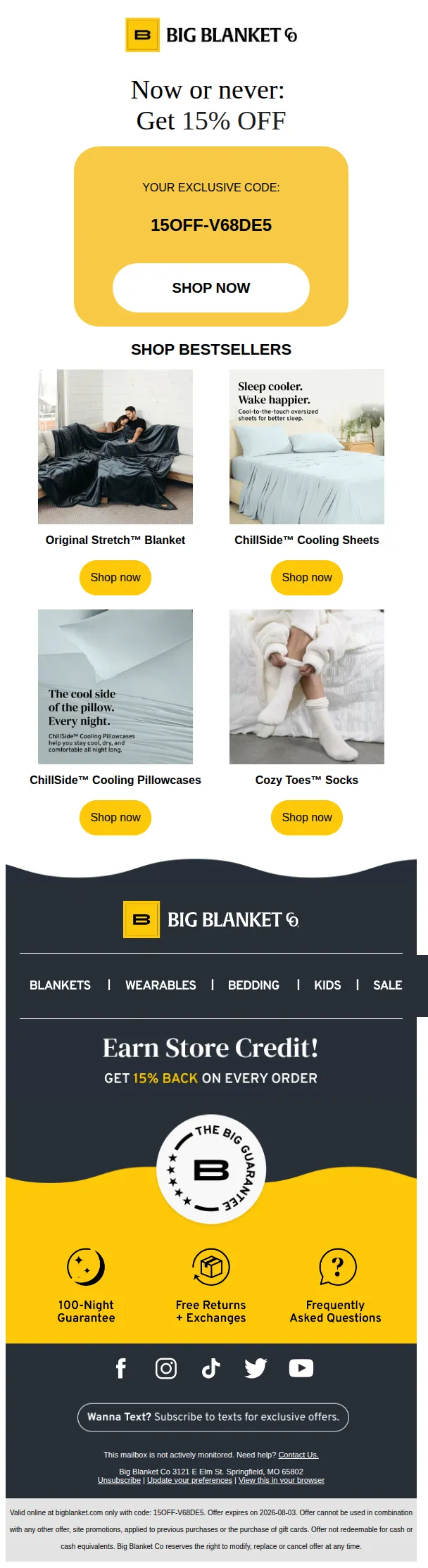
- 01⌛ Now or Never
- 02Welcome to the fam! 💃
- 03Ready to start your design? Let’s dive in...
- 04The Difference in How Kotn’s Made
- 05Small upgrade, real difference
- 06Welcome to BOILER ROOM
Questions marketers ask.
What makes a good welcome email?
What hook types do brands use for welcome emails?
Which ESPs do brands use to send welcome emails?
What's the average subject line length for welcome emails?
Where can I see more welcome email examples?
600+ brands. 20,000+ classified emails.
Inside the vault.
Filter by hook, framework, ESP, funnel stage — search every send. $19/mo. Cancel anytime.
Browse the vault — free