How to Spy on Competitor Email Marketing — and track it over time
The actual methodology lifecycle marketers use to track competitors at scale.
Most marketers track competitors by subscribing to their lists with a burner address, archiving every send into a folder, and trying to spot patterns by eye. It doesn't scale and the patterns rarely surface. The better play is a pre-built, classified database of competitor sends — what tools like BadRep are built for. This guide walks through every method, when each one makes sense, and what the trade-offs are.
How BadRep solves this — the short version
A pre-built, classified, searchable database of competitor sends. 508 brands. 14,241 emails. 20+ classification dimensions per send. $19/mo. Free preview at /preview — no signup.
BadRep is a catalog of marketing emails from 508 brands (as of mid-2026, growing weekly). Every send is classified across 20+ dimensions on ingest — hook type, copy framework, ESP, funnel stage, awareness level, offer type, psych triggers, design style, send time. Instead of scrolling a burner inbox or hoping you remember to screenshot the right send, you query — 'welcome emails in wellness with Bold Claim hooks sent via Iterable' returns 47 examples in 50 milliseconds.
The mockup below is what the vault actually looks like — filter chips at the top, real emails in the grid, classification tags on every card. You can browse a limited version for free at the [preview page](/preview) (no signup, no credit card) before deciding whether the full $19/mo access is worth it.
- Free preview mode at [the preview page](/preview) — no signup, no credit card, browse a limited slice of the catalog to decide if it's the right fit before paying.
- Structured filtering across 20+ dimensions — filter every send by hook type / copy framework / ESP / funnel stage / awareness level / offer type. Answer questions a burner inbox can't.
- ~50% of the 508-brand catalog is wellness / edtech / fintech / habit-change — categories where MailCharts and SendView are thin. Browse niches here.
- Daily ingest — new sends appear in the catalog within hours, not weeks.
- Self-serve, no demo call, no annual contract — sign up at $19/mo in a browser and cancel anytime.
- Cross-brand aggregation built in — see the full email marketing benchmarks derived from all 14,241 emails, or start with the welcome email examples guide.



Other solutions worth knowing about
BadRep isn't the only option. Here's how the category actually stacks up in 2026.
Every tool below fits a slightly different workflow. If your competitive set is stable and small, a burner inbox may be all you need. If you're a newsletter operator, Newsletrix at $9/mo goes deeper on that specific format. If you're an agency running multi-channel, Panoramata bundles email + ads + SMS. The comparison table names each option; the full 2026 buyer's guide has detailed per-tool profiles.
Match tool to workflow. There's no universally right pick.
| Solution | Price | Signup | Classification | Best fit |
|---|---|---|---|---|
| Burner Gmail inbox | Free | 30 min setup | None (raw inbox) | 5–10 brand watchlist; see the safe-setup guide |
| Milled | Free | None | None | Occasional consumer-brand lookups |
| Really Good Emails | Free / $15 Pro | Free | Curated for design | Visual inspiration, moodboards |
| Newsletrix | $9/mo | Self-serve | AI-scored, newsletter-focused | Newsletter operators (Beehiiv, Kit, Substack) |
| BadRep (this site) | $19/mo | Self-serve | 20+ dimensions | Lifecycle marketers, wellness / edtech / fintech coverage |
| Owletter | $19/mo | Self-serve | Minimal — sender-focused | Long-horizon watchlist tracking |
| SendView | $69/mo | Self-serve | Partial | Defined-set surveillance, DTC coverage |
| Panoramata | $99/mo | Self-serve | Partial | Agencies, multi-channel operator teams |
| MailCharts | Low 5-figures / yr | Sales-led only | ~10 dimensions | Enterprise lifecycle teams with Litmus contracts |
MailCharts went enterprise-only in Nov 2025 — see the [MailCharts alternative page](/alternatives/mailcharts) for the transition story.
The three ways marketers actually do this
Each has a place. None scale on its own past about 10 brands.
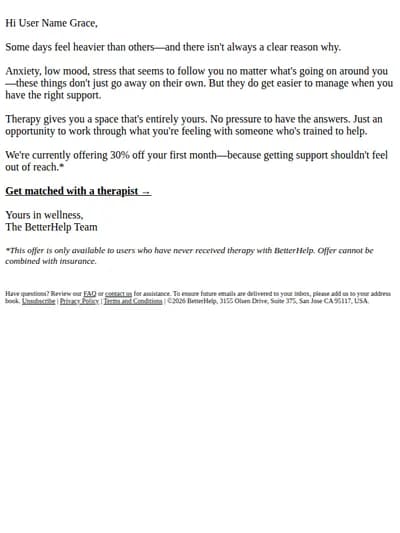
Method one — the burner inbox. You set up a Gmail address dedicated to competitor research, sign up for every relevant brand's list, and let the emails pile up. This works for a small competitive set — maybe five or ten brands — and gives you 100% archive depth. The problem is it doesn't surface patterns. You're scrolling raw Gmail, eyeballing sends, hoping you notice trends. After thirty brands, the inbox becomes useless. Full walkthrough (with real Gmail filter syntax) at the burner-inbox safe-setup guide.
Method two — the curated screenshot folder. Every time you see a brand send something noteworthy, you screenshot it and drop it in Notion or Figma. This is what most lifecycle marketers actually do. The trade-off is curation depth: you only capture what you remember to capture, which is a tiny slice of what brands actually send.
Method three — a dedicated email intel tool. The comparison table above lists all seven active options in 2026 plus the burner. Each tool makes a different trade-off between coverage breadth, classification depth, and price. The choice depends on whether your workflow is occasional brand lookups or recurring structured research.
Method one — the burner inbox approach
Cheap, total coverage, doesn't scale past 10 brands.
Set up a dedicated Gmail address. Sign up for every brand you want to track using that address. Create filters that auto-label incoming emails by sender domain. Check the inbox weekly. The whole process takes about an hour to set up.
This approach works well when your competitive set is small and stable — five or ten brands, all known by name, all currently active. It gives you maximum send-depth for those brands and zero risk of missing a send. The breakdown happens as you scale. At thirty brands the inbox becomes too noisy to scan. At sixty brands you stop checking. The patterns you want — 'every brand in our category increased send frequency in March' or 'three competitors all started using subject-line emoji in the same week' — are nearly impossible to spot by eye in a raw inbox.
The other limitation is structured filtering. You can search by sender or date, but not by hook type, copy framework, or ESP. Those are the questions that actually matter for competitive research, and Gmail can't answer them.
Method two — the curated screenshot folder
What most lifecycle marketers actually do. Notion-style.
When you see a noteworthy send, you screenshot it and drop it into a Notion database or Figma file with tags — brand, send type, date, what you noticed. Over time you build a moodboard of competitive emails.
This is what most lifecycle marketers do in practice. It captures what's interesting, filters out the noise, and gives you a personal reference library. The limitation is that you only see what you remember to capture. The vast majority of competitor sends never get screenshotted because you didn't have the burner email open that day, or you missed the send, or you couldn't decide whether it was worth capturing. The screenshot folder reflects your attention bias, not the brand's actual program.
It's also not searchable beyond your manual tags. If you want to ask 'which brands sent an abandoned cart sequence with a 20%+ discount in the last quarter,' the screenshot folder can't answer that.
Method three — dedicated email intel tools
Six tools worth knowing. Each makes a different trade-off.
Milled is free, no signup, and indexes thousands of consumer brands. It's a search engine over screenshots — type a brand name, see their archive. Good for occasional one-off lookups. No structured classification, no patterns surfaced, originally built for shopping coupon-hunting.
Really Good Emails is the curated gallery — hand-picked design quality, free tier, paid Pro for advanced filters. Best for visual inspiration and moodboards, not competitive intel.
MailCharts was the gold standard from 2015–2024. In November 2025, parent company Litmus sunset self-serve plans and folded MailCharts into a bundled enterprise tier. No more $99/mo subscription; new customers go through sales and pricing starts in the low five figures annually.
Panoramata covers email + paid ads + SMS + landing pages in one dashboard. $99/mo. Best for agencies and multi-channel teams.
SendView is sender-watchlist-shaped: you give it a list of brands to track and it monitors those specifically. $69/mo. Best when your competitive set is already defined.
Newsletrix is newsletter-specialist at $9/mo. AI-driven analysis layer. Best if your job is newsletter-on-newsletter benchmarking.
BadRep is what we make. $19/mo, self-serve, searchable database of 7,200+ classified emails across 328+ brands. Skews wellness, edtech, fintech, habit-change. Catalog-query model rather than watchlist. Compare options at /alternatives.
How to pick
Three questions to answer before you commit to a tool.
First — is your research recurring or occasional? If you check competitor sends once a quarter when something specific comes up, free tools (Milled, RGE) are enough. If you're doing structured research weekly, a paid tool pays for itself in saved time.
Second — is your competitive set defined or exploratory? If you know exactly which brands you want to track, a watchlist tool (SendView, Owletter) fits the workflow. If you're studying patterns across a category or discovering new players, a catalog tool (BadRep, MailCharts) is the right shape.
Third — do you need multi-channel or email-only? If your competitive analysis spans paid ads + email + SMS, Panoramata is built for that. If you only need email, an email-only tool will go deeper at lower cost.
The trade-offs are real and there's no universally right answer. Match the tool to the workflow.
What this looks like inside BadRep
How catalog-query research actually plays out.
Inside BadRep, the workflow is: pick a niche or brand, open the catalog, apply filters. Every email is classified across 20+ dimensions — hook type, copy framework, ESP, funnel stage, awareness level, offer type, psych triggers, design style, send time. Filter combinations that would take hours in a screenshot folder run in 50ms.
A typical research session: open health fitness, see 132 brands and 2,490 emails. Filter to email_type = 'Welcome', hook_type = 'Bold Claim'. Get 47 examples in a single view. Click any to see the full email with classification. Compare across brands. Save standouts to your private library.
For recurring research, this is the difference between 'I'll get to it next week when I have a free afternoon' and 'I'll get to it in five minutes between meetings.' The structure changes the workflow.
Spying, tracking, monitoring — what's the difference?
These three verbs are used interchangeably online. They're not quite the same activity.
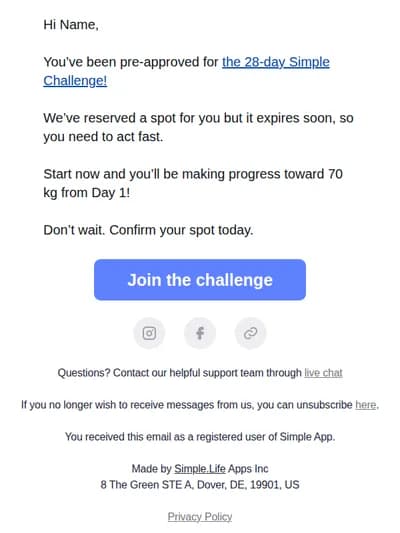
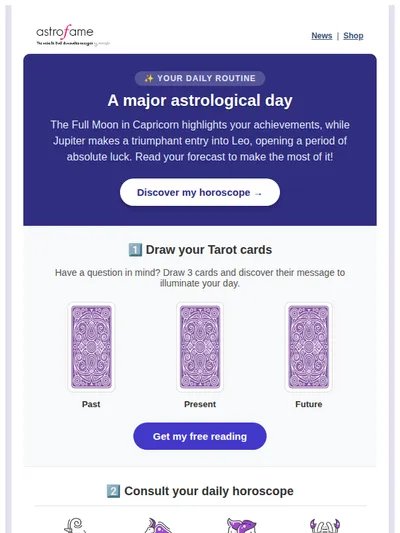
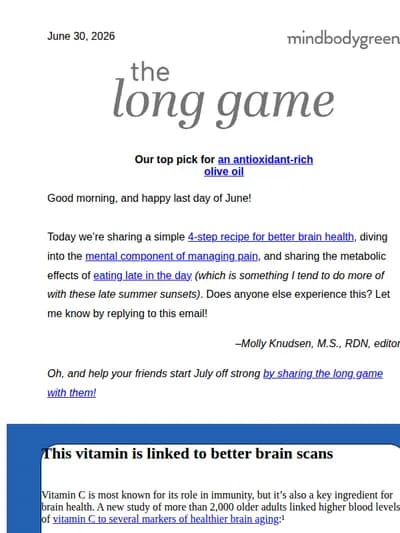
Spying on competitor emails usually means one-off research. You want to understand a specific brand's program right now — their welcome flow, their abandoned cart sequence, their promotional cadence. You go deep on one brand for a single session, then you're done. This is what most lifecycle marketers mean when they ask 'how do I spy on a competitor's email marketing.'
Tracking competitor emails means setting up an ongoing system that captures every send a brand makes, indexed by date, sender, subject line. You're not necessarily analyzing right now — you're building an archive you can analyze later. Tools like SendView and Owletter are tracking-shaped: give them a list of senders, they capture every send.
Monitoring competitor emails sits between the two. You define a small set of brands you care about, you check in weekly or bi-weekly, you look for material changes — a new cadence, a new offer mechanic, a campaign launch you didn't expect. Monitoring is what most teams actually do in practice. They have a list of 5–15 brands they care about, they review activity every few weeks, they update their own program based on what they see.
The right tool depends on which mode you're in. For one-off spying: a catalog tool like BadRep where you can pull every send from any brand on demand. For continuous tracking: a watchlist tool like SendView. For periodic monitoring: either works, but a catalog tool gives you discovery upside (you find brands you didn't know to track) that watchlist tools don't.
How to track competitor email marketing campaigns over time
If your job is ongoing competitive surveillance — not one-off research — here's the workflow.
Step 1 — define your watchlist. Pick 10–20 brands you genuinely care about. More than 20 and you stop checking. Less than 5 and you miss category-level patterns. The right number depends on your industry; lifecycle marketers at a mid-sized DTC brand typically track 8–12 direct competitors plus 3–5 aspirational brands outside their category.
Step 2 — pick the tracking mechanism. Either a dedicated tool (BadRep for catalog-query, SendView for sender-watchlist, Owletter for long-horizon historical) or a burner inbox if your watchlist is small. The trade-off is the same as the one-off spying decision: catalog tools have wider coverage and structured filtering, watchlist tools have tighter sender control.
Step 3 — set a review cadence. Most teams check competitor activity weekly or bi-weekly. Calendar block it. The discipline matters more than the tool — even the best tool doesn't surface insights you don't open it to look at.
Step 4 — define what you're looking for. 'Anything interesting' is too vague. The strongest competitive monitoring practices have explicit questions they're checking against each week: Is competitor X still running a Black Friday-style promo? Has competitor Y's onboarding sequence changed? Are subject line emoji rates trending up across the category? Specific questions surface specific findings.
Step 5 — convert findings into your own program. The point of monitoring is to inform your own choices, not collect data. Each weekly review should produce 1–3 concrete observations that go into your roadmap or A/B test queue. If a month of monitoring produces zero changes to your own program, you're either monitoring brands that aren't useful comparisons or you're not pushing the findings into the team's decisions.
Common terms for the same activity
Marketers and SEOs phrase this question several different ways. They mean roughly the same thing.
Across search queries we see for this page, the same underlying task gets phrased as 'spy on competitor emails,' 'spy on competitor email marketing,' 'spy on competitor email marketing campaigns,' 'spy on competitors' email marketing strategy,' 'check competitor email marketing campaigns,' 'how do I see what my competitors are sending,' 'competitor email tracking,' 'competitor email monitoring,' 'email competitive intelligence,' 'how to research competitor emails,' and 'how do I analyze competitor email marketing.' The verb changes — spy / track / monitor / check / research / analyze — but the underlying job is the same: see what brands in your category are sending, why, and what you can copy or avoid.
The one meaningful distinction worth noting: 'tracking' and 'monitoring' usually imply an ongoing system, while 'spying' and 'researching' usually imply a specific moment. Both modes are valid; both are covered by the methodology above. The tool stack that fits each is slightly different (catalog-shaped vs watchlist-shaped), which we covered in the previous section.
Questions marketers ask.
How do you spy on competitor email marketing?
How do I track my competitors' email marketing strategy?
What's the difference between competitor email tracking and monitoring?
How can I check what emails my competitors are sending?
Is it legal to track competitor emails?
Will competitors know I'm spying on their email marketing?
What's the fastest way to start monitoring competitor email campaigns?
What tools let you spy on competitor email marketing campaigns?
Do email intel tools cover B2B?
600+ brands. 20,000+ classified emails.
Inside the vault.
Filter by hook, framework, ESP, funnel stage — search every send. $19/mo. Cancel anytime.
Browse the vault — free